Testing SAP Document Information Extraction APIs via Swagger requires authentication using your BTP service key. This post walks through getting an OAuth token and authorising Swagger so you can start making API calls against your instance.
Get the service key from SAP Document AI instance from your BTP.
{
    "url": "https://xxxxx.doc.cloud.sap",
    "dwcreuseservice": true,
    "endpoints": {
        "backend": {
            "url": "https://xxxxxx.cloud.sap",
            "timeout": 30000
        }
    },
    "html5-apps-repo": {
        "app_host_id": "xxxxxxxx-xxxx-xxxx-xxxx-xxxxxxxxxxxx"
    },
    "odataurl": "/document-ai/v1/",
    "resturl": "/document-information-extraction/v1/",
    "saasregistryenabled": true,
    "sap.cloud.service": "com.sap.apps.documentinformationextraction",
    "swagger": "/document-information-extraction/v1/",
    "tenantuiurl": "https://xxxxxxxxxxxxx.xxxxxxxxxx.doc.cloud.sap",
    "uaa": {
        "clientid": "xx-xxxxxxxx-xxxx-xxxx-xxxx-xxxxxxx",
        "clientsecret": "xxxxxxxx-xxxx-xxxx-xxxx-xxxxxxxxxxx",
        "url": "https://xxxx.authentication.xxxx.hana.ondemand.com",
        "identityzone": "xxxxxxxxxxxxx",
        "identityzoneid": "",
        "tenantid": "",
        "tenantmode": "shared",
        "sburl": "https://xxx.hana.ondemand.com",
        "apiurl": "https://api.authentication.xxxx.hana.ondemand.com",
        "verificationkey": "",
        "xsappname": "",
        "subaccountid": "",
        "uaadomain": "authentication.xxxx.hana.ondemand.com",
        "zoneid": "",
        "credential-type": "",
        "serviceInstanceId": ""
    }
}
To access Swagger, use values in "tenantuiurl" (18) + "swagger"(17)
https://xxxxxxxxxxxxx.xxxxxxxxxx.doc.cloud.sap/document-information-extraction/v1Should see below
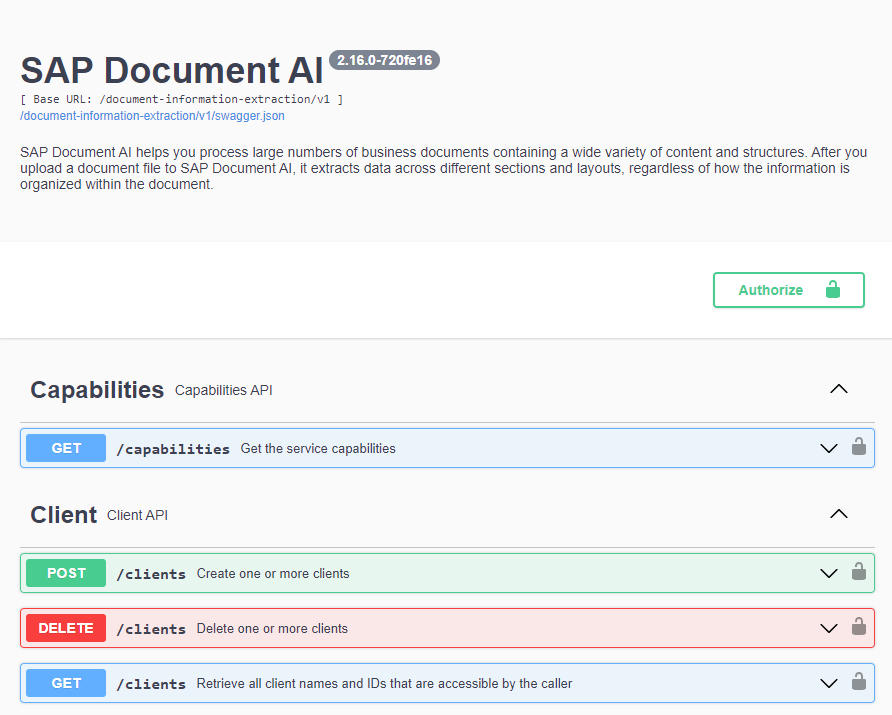
Before you test API calls with your BTP, we need to Authorise.
Step 1 – Get OAuth Access Token
Prepare url using url(line 22) + /oauth/token?grant_type=client_credentials
https://xxxx.authentication.xxxx.hana.ondemand.com/oauth/token?grant_type=client_credentialsOpen this url in the browser and put clientid and clientsecret values from the service key in the user name and password. You will get a response back.
{
  "access_token": "access-token-value",
  "token_type": "bearer",
  "expires_in": 43199,
  "scope": "",
  "jti": ""
}
Step 2 Authorise
Come back to Swagger, click on Authorize and input
Bearer access-token-value
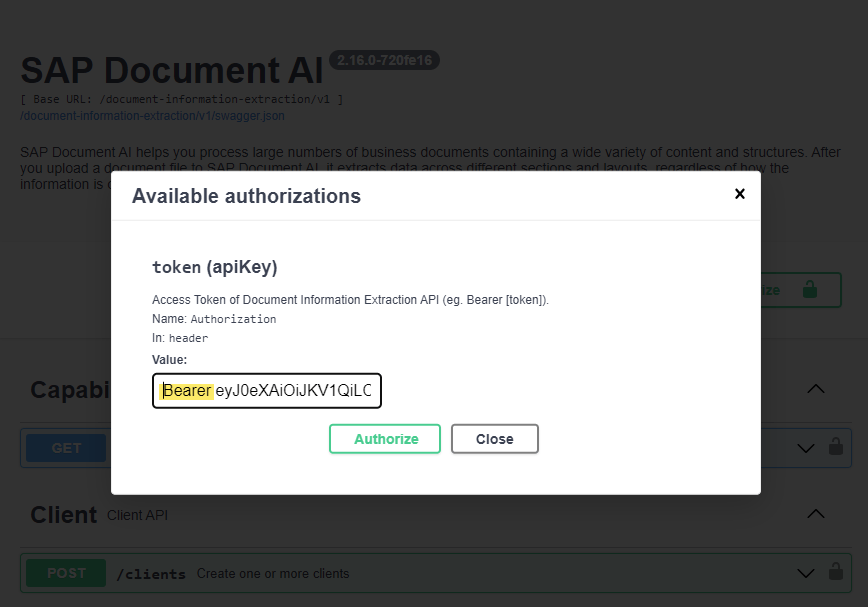
Following these step, you should now be able to test API calls with your instance.
The above steps should also work with other BTP services that support Swagger.